A rest day is a rest day
Empty days stay empty. Missing one is never held against you and never shown as a gap. There are no streaks to break, because a streak is just a debt you took out against yourself.
 Priora Active
Coming soon
Priora Active
Coming soon
Strength training · iPhone
It holds your place in a rotation, not a calendar. Come back after nine days and it picks up where you were. Nothing turns red. Nothing is overdue.
free when it lands · no account · your data stays on your phone
Why it's different
This one keeps a record. Those are not the same thing, and the difference is the whole app.
Empty days stay empty. Missing one is never held against you and never shown as a gap. There are no streaks to break, because a streak is just a debt you took out against yourself.
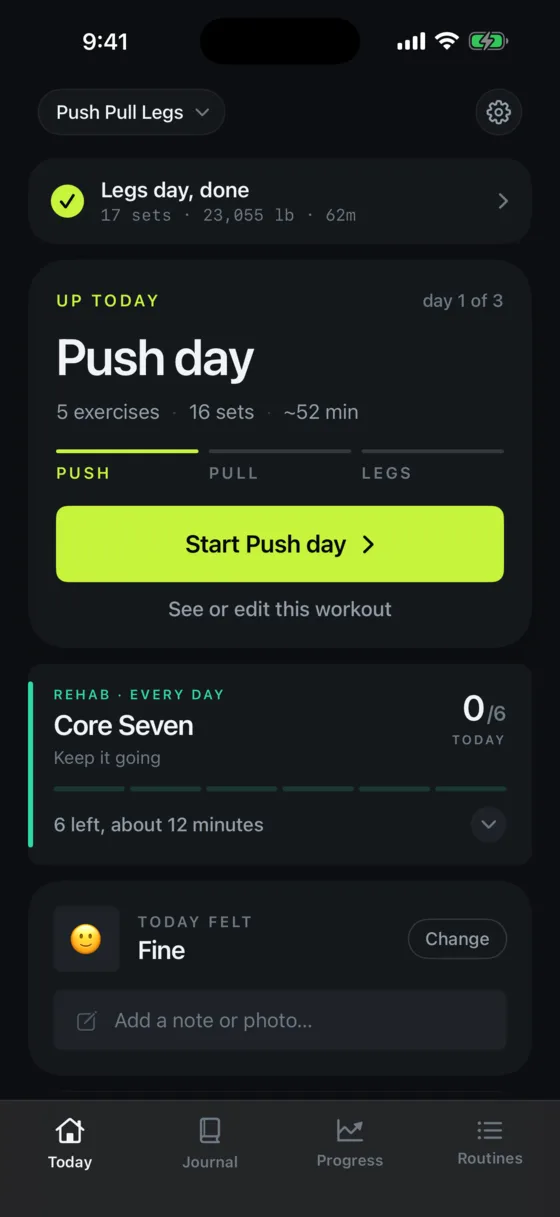
Push, pull, legs — it remembers where you are, not what day it is. Take a fortnight off and the next session is still the next session.
Injured, ill, travelling, deloading. Say so once and your history explains itself months later, when you'd otherwise just see an unexplained dip.
How it works
Today's session is already loaded. One tap and you're under the bar.
Mid-set
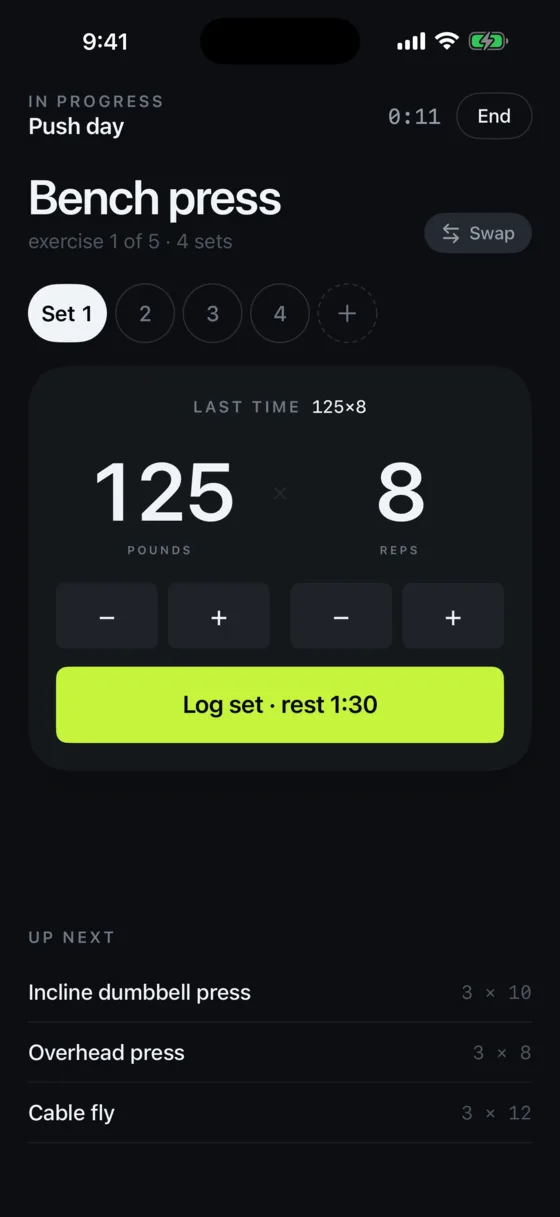
Last week's weight is already in the field. Beat it, or don't. Then the rest timer starts on its own and runs on your Lock Screen and in the Dynamic Island — so the phone can stay in your pocket.
Tapped it by mistake? Undo the set. Nothing here is a one-way door.
Bench · since April
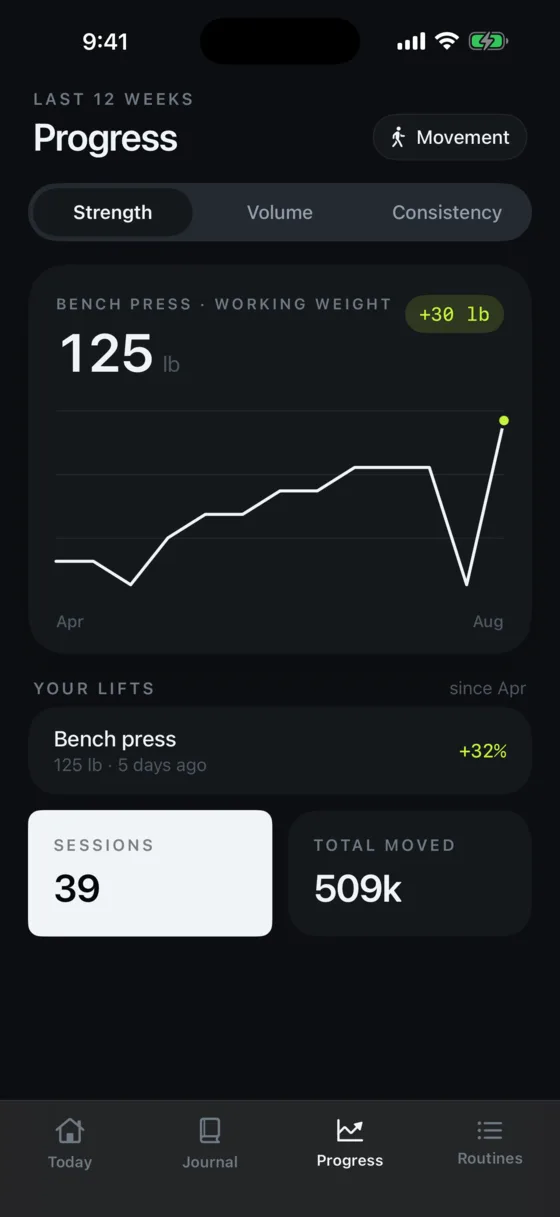
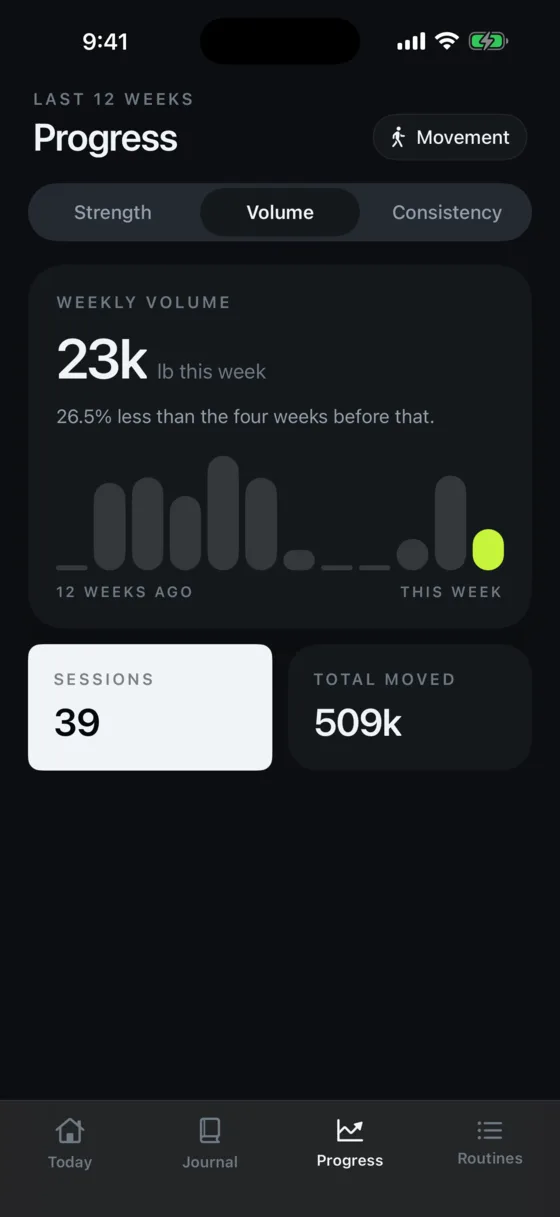
Strength, volume and consistency — twelve weeks of receipts on one screen. Not a grade. Just what actually happened, drawn honestly, including the weeks it went down.
August
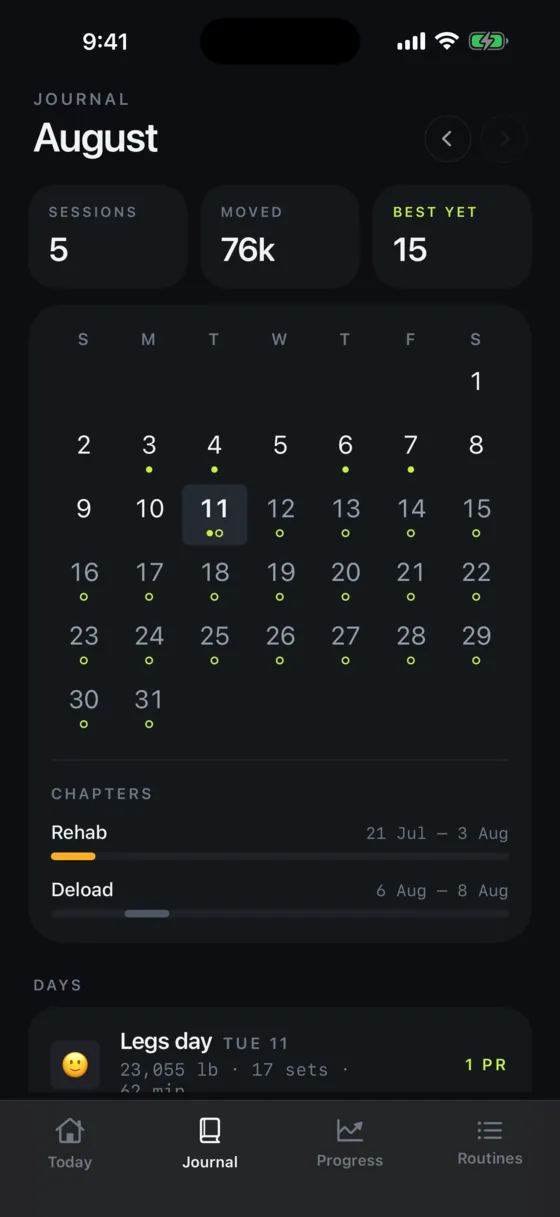
A month at a glance, with chapters for the rehab, the deload and the build. Rate the session, write the reason, add a photo — three seconds, and in six months it's the only part you'll be glad you kept.
Numbers lie. Notes don't.
Working around an injury?
So it isn't treated like one. It has its own place, it's a checklist you tick rather than a session you start, and it logs no volume and sets no personal bests — because none of those mean anything for the six slow movements a clinic gave you.
Movements carry their own days, too. A static hyperextension hold capped at twice a week sits alongside the rest of the plan running daily, and a day it isn't due simply doesn't ask for it.
You can run rehab on its own. No program, no workout, nothing switched on — just the checklist, for as many weeks as it takes.
From Health
Steps, walks, rides and move minutes come in from Apple Health and sit next to the session — so a day you didn't lift still says what you did. The workouts you log go back the other way. It never reads body measurements.
No account. No login. No tracking. Your training lives on your phone and syncs through your own iCloud, which means we can't see it — there's no server of ours for it to sit on.

The whole loop, in one app. No coach, no feed, no noise.
on iPhone · iOS 18 or later · syncs with Apple Health